Tiny Builder
Build 3D scenes, create voxel models and turn them into crisp pixel-style backgrounds and game assets.**
Pixel Foundry combines a scene builder, Object Creator, voxel editor and pixel texture painter in one app. Assemble environments from the built-in library or create your own models, then export still images, animated backgrounds or GLB assets.
**Play in your browser or download the standalone app for Windows, Linux, macOS Intel or macOS Apple Silicon.** Normal editing works offline in the desktop app. No account is required.
## New in version 0.7
- **Pixel Art export filter:** use a low-resolution artwork grid and export at a larger size with crisp, whole-number scaling.
- **Palette and shading controls:** automatic colour reduction or saved palettes, shading bands, optional outlines and dithering, plus live and export previews.
- **Pixelated GLB textures:** bake material and voxel colours into adjustable-resolution textures while retaining geometry and transform animation.
- **Object snapping:** fit nearby objects together in Scene Editor and Object Creator, alongside the existing grid snap controls.
- **Easier scene editing:** lighting on/off, stable lighting framing while moving objects, a collapsible scene object list and a prominent Return to scene button.
- Filter settings travel with editable scene and object files; original painted artwork stays editable.
## Scene building
- Searchable prefab library with category and biome filters, plus a library for your own saved objects.
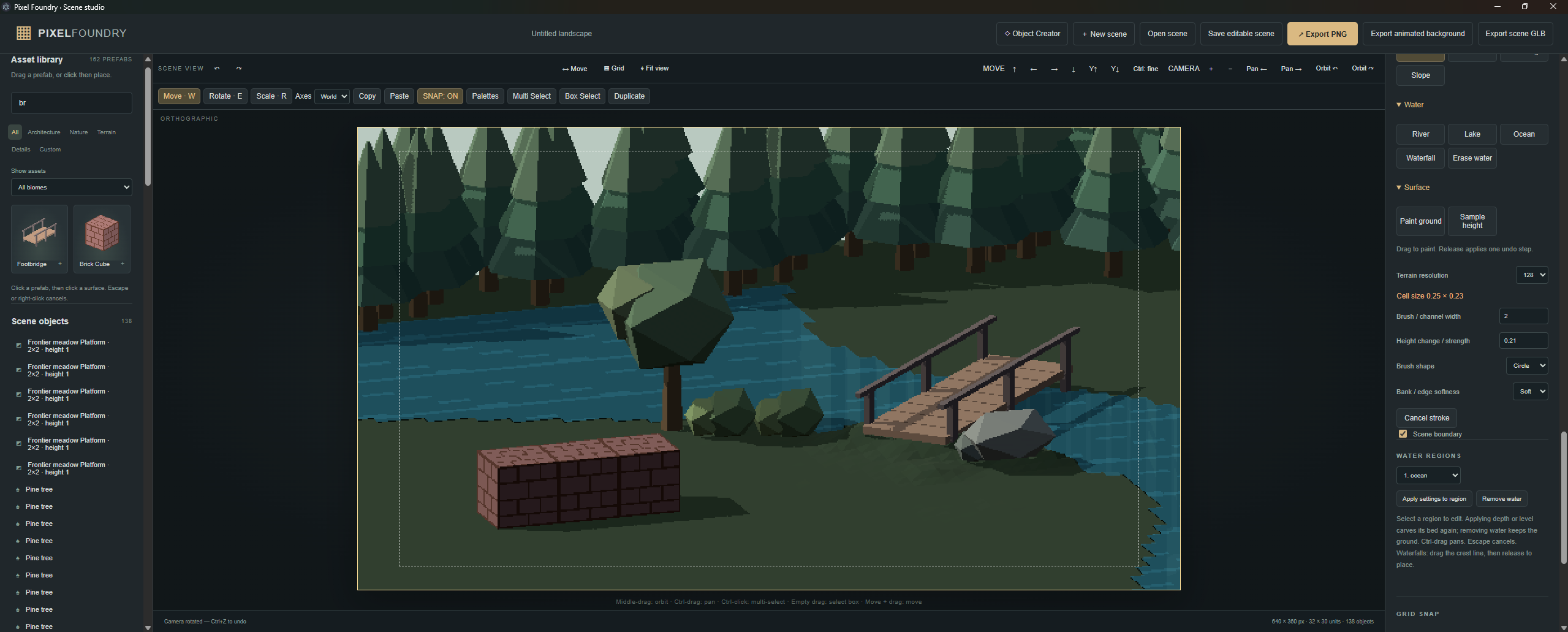
- Eight biome themes, empty scenes or optional starter arrangements.
- Buildings, props, sci-fi pieces, vegetation, rocks, ramps and platforms.
- Modular building kit: plain, window and doorway walls, floors, flat and sloped roofs, beams, pillars, stairs, fences and gates.
- Trees, saplings, tall and wide shrubs, small and large rocks, angular rocks and rock clusters.
- Recolourable assets, with ramp browsing focused on distinct shapes and sizes rather than colour duplicates.
- Move, rotate and scale with handles or numeric controls; world/local axes and adjustable snapping.
- Multiple selection, box selection, group transforms, copy, paste, duplicate, grouping and mesh merging.
- Object scatter brush with spacing, density, radius, rotation and scale variation.
## Object Creator and animation
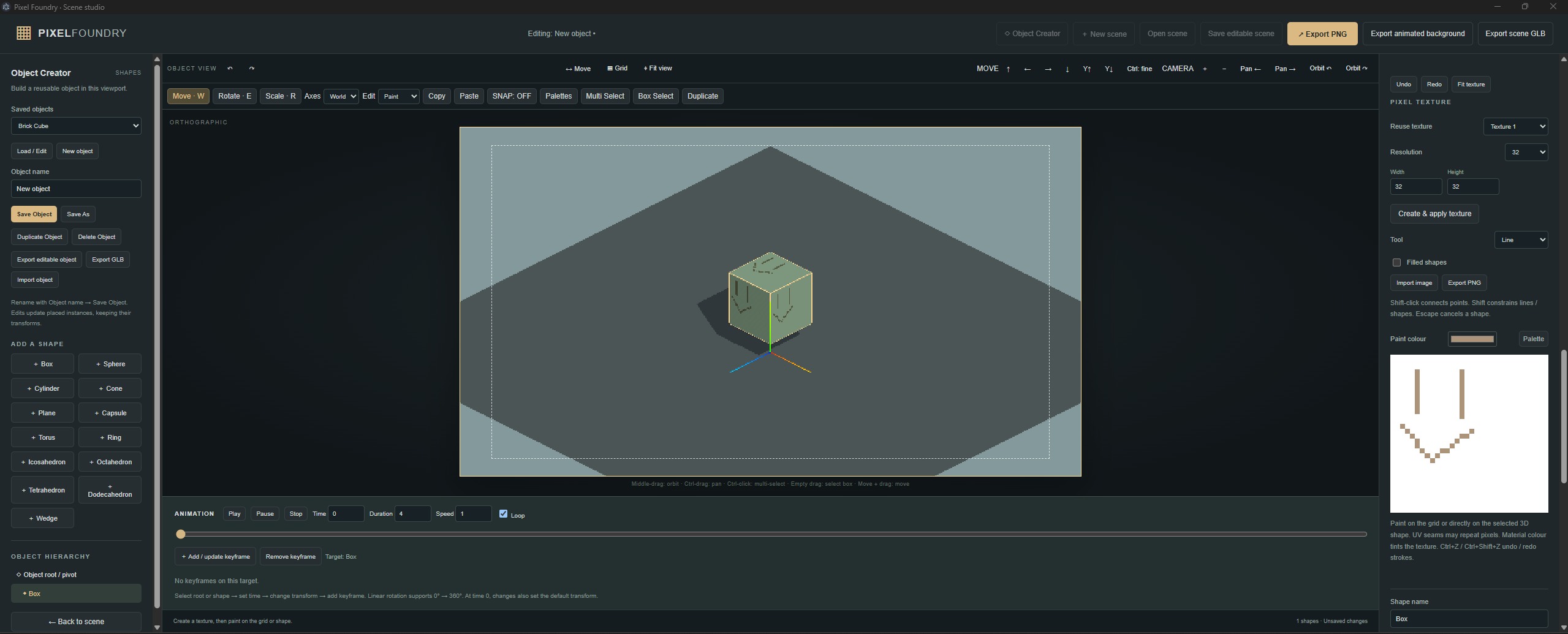
- Build models from primitive shapes, imported GLBs and generated voxel meshes.
- Edit component positions, rotations, scales, colours, opacity and materials; reshape meshes with vertex editing and shear.
- Attach shapes to animated parents: rotate a fan hub and its blades follow while the stand stays still.
- Keyframe movement, rotation and scale, preview on the timeline and export transform animation.
- Save custom objects for use in scenes, or export editable object files and GLBs.
- Undo/Redo for editing, painting and transforms.
## 3D voxels and pixel painting
- True 3D voxel editing with independent X/Y/Z dimensions up to **128 × 128 × 128**, and a colour for each occupied voxel.
- Front, Side and Top slice views, slice navigation and copying to another slice.
- Transparent previous-slice overlay for tracing and aligning details.
- Live 3D preview and editing of existing voxel shapes while preserving their placement, parents and animation.
- PNG-based silhouette creation, adjustable extrusion and explicit conversion to 3D voxels.
- Pencil, eraser, fill, eyedropper, line, rectangle and ellipse tools, with straight-line and constrained drawing using Shift.
- Expanded, movable and resizable painting workspaces, cursor-centred wheel zoom, Fit, 100% and pan controls.
## Textures and UVs
- Paint pixel textures on the sheet or directly on the 3D surface.
- Generate independent UV islands for primitives, voxel models and imported meshes.
- Click a surface in 3D to locate and focus its UV island before painting.
- Sheet and model previews update together, with material and voxel colours included in generated atlases.
- Import PNG, JPEG and WebP textures; reuse textures across components.
- Export UV sheets as **PNG, WebP or JPEG**, with texture colours, UV guides or both. Export UV layouts as **SVG**.
- Built-in and custom palettes, project palettes, favourites and palette-locked painting; optional online Lospec imports.
## Terrain, water, lighting and weather
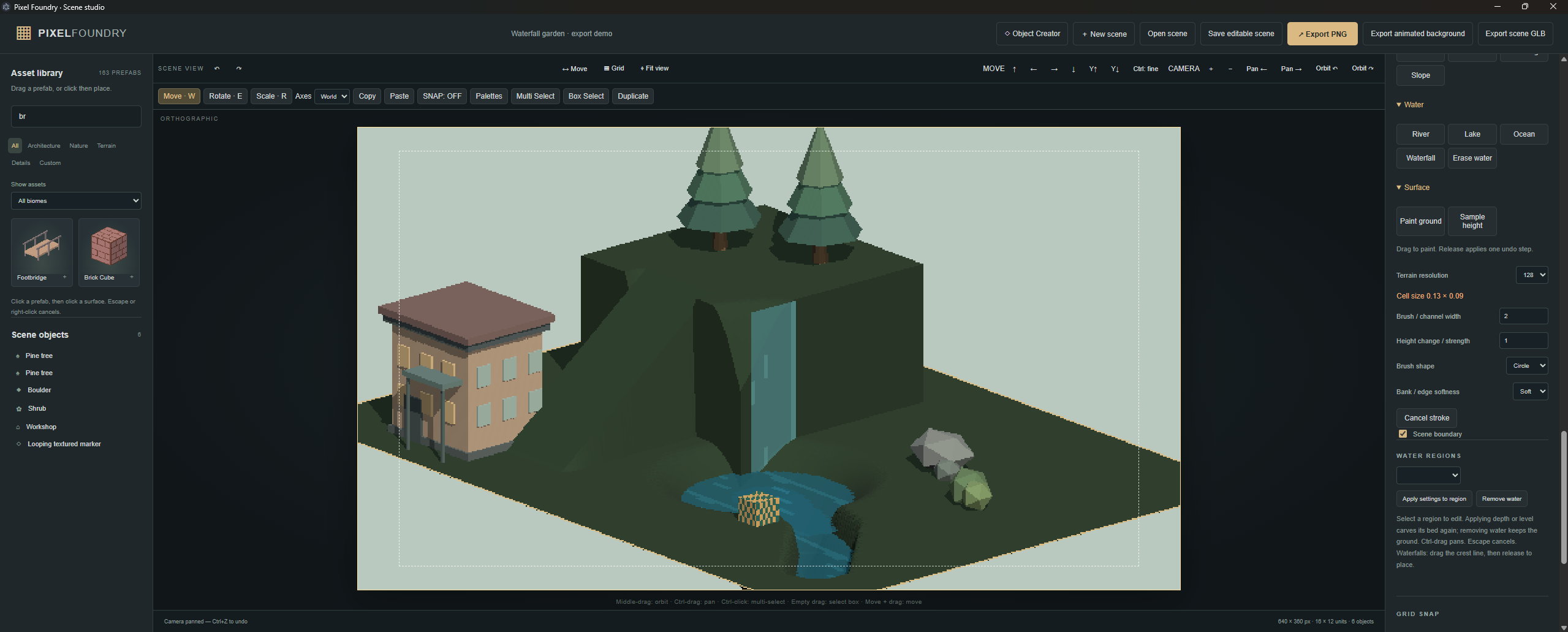
- Raise, lower, flatten, smooth and set terrain heights; paint surface colours.
- Create slopes, ledges, cliffs, depressions and ramp presets, with straight terrain strokes using Shift.
- Paint rivers, lakes, ocean areas and waterfalls, and preview flowing water.
- Time-of-day controls, lighting presets, sun and ambient colours, exposure, shadows and glowing surface emitters.
- **19 weather presets** and four seasons, with adjustable precipitation, wind, fog, clouds and storm flashes.
- Camera orbit, pan and zoom, orthographic/perspective views, composition controls and saved camera views.
- Graphics presets, shadow quality, weather density and frame-rate controls.
## Export and keep working
- **PNG:** clean camera captures, transparent backgrounds and sharp pixel scaling.
- **Animated backgrounds:** PNG frames or sprite sheets, timing metadata and a ready-to-use Godot 4 background scene.
- **GLB:** models or scenes with textures and optional transform animation.
- **Editable JSON:** portable scenes and objects containing their models, textures, voxel data and settings.
- Local autosave and recovery of unfinished Object Creator drafts after closing.
- Download editable backups to move work between the browser and desktop editions.
**For the browser version, launch in fullscreen for the most comfortable workspace.** The web ZIP can also run locally through a local web server. Desktop downloads run without Node or a web server.
GLB import supports embedded static mesh assets; source rigging and source animations are not imported. Rendered PNGs and animated backgrounds capture the scene's lighting and weather; GLB lighting and presentation depend on the receiving application. Very detailed voxel models are subject to geometry limits. Local autosave is device/browser-specific, so keep editable-file backups.
macOS builds are unsigned and unnotarized. Linux and macOS native launches, Safari and physical touch-device checks have not been verified on the Windows development machine.
Download
Click download now to get access to the following files:
Development log
- First Dev Log14 hours ago
Leave a comment
Log in with itch.io to leave a comment.